Bring the plan into the progress conversation.
Review programme progress, activity status and milestone readiness against the current data date.
The information.
The context. The next step.
A progress percentage has limited meaning without its planning reference. Teams need the data date, expected position and upcoming work to understand what the reported progress means.
 4D & ProgressIllustrative workflow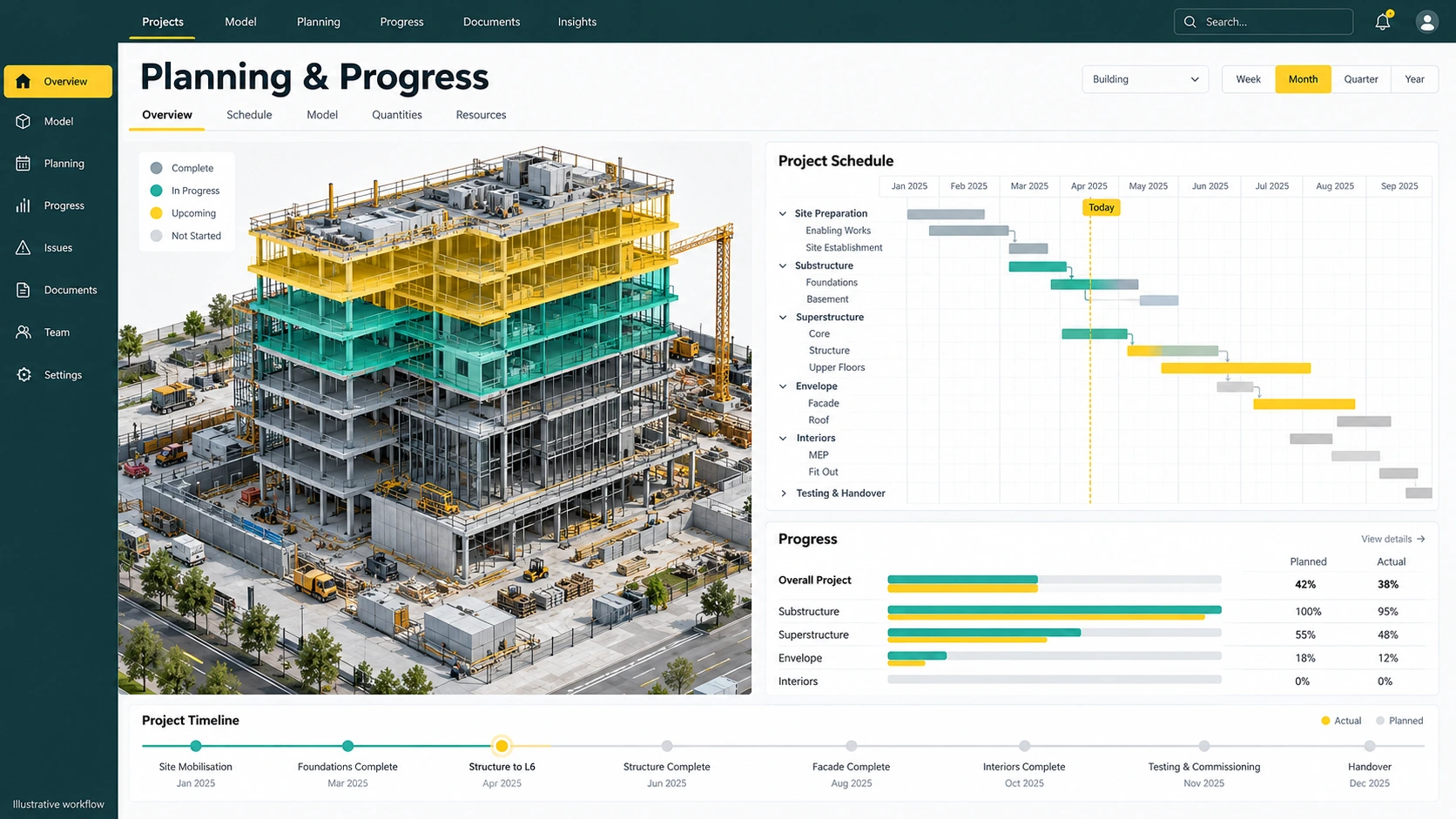
From source information to a useful action.
- 01
Establish the baseline
Identify the schedule update and progress basis.
- 02
Compare progress
Review planned versus actual and the S-curve.
- 03
Plan the next weeks
Focus on critical work and approaching milestones.
Overall progress is close to plan, but a key milestone is at risk.
Inspect the critical activities and dependencies behind that milestone. Similar overall percentages can conceal very different patterns of completed and outstanding work.
Capabilities and delivery scope.
Available reporting is based on P6 XML imports. 4D simulation, live P6 synchronisation and automated reforecasting are future-phase capabilities.
- P6 XML import
Use a defined programme update as the reference for the review.
- Planned versus actual reporting
Compare the expected and reported positions at the current data date.
- Progress S-curve
Read the trend alongside the headline progress figures.
- Activity status
Distinguish completed, ongoing and not-started work.
- Critical activity review
Identify schedule dependencies that deserve closer investigation.
- Four-week look-ahead and milestones
Discuss the near-term work and milestone readiness with delivery teams.
A clearer starting point.
Is the programme synchronised live?
The reporting described here uses P6 XML imports. Live synchronisation must not be assumed.
Is the 4D illustration a released simulation?
No. The model-linked illustration shows a future-phase workflow. Current reporting scope and future 4D requirements should be discussed separately.
Bring one project question. Leave with a clearer scope.
Walk through the relevant workflow, source information and rollout requirements with the BIMerge team.