Start the review with what needs attention.
Turn imported project schedule data into a clear view of progress, milestones, critical activities and the four-week look-ahead.
The information.
The context. The next step.
A completion percentage does not explain a delivery problem. Bring the programme position, critical activities and upcoming commitments into the same review.
 Project IntelligenceIllustrative workflow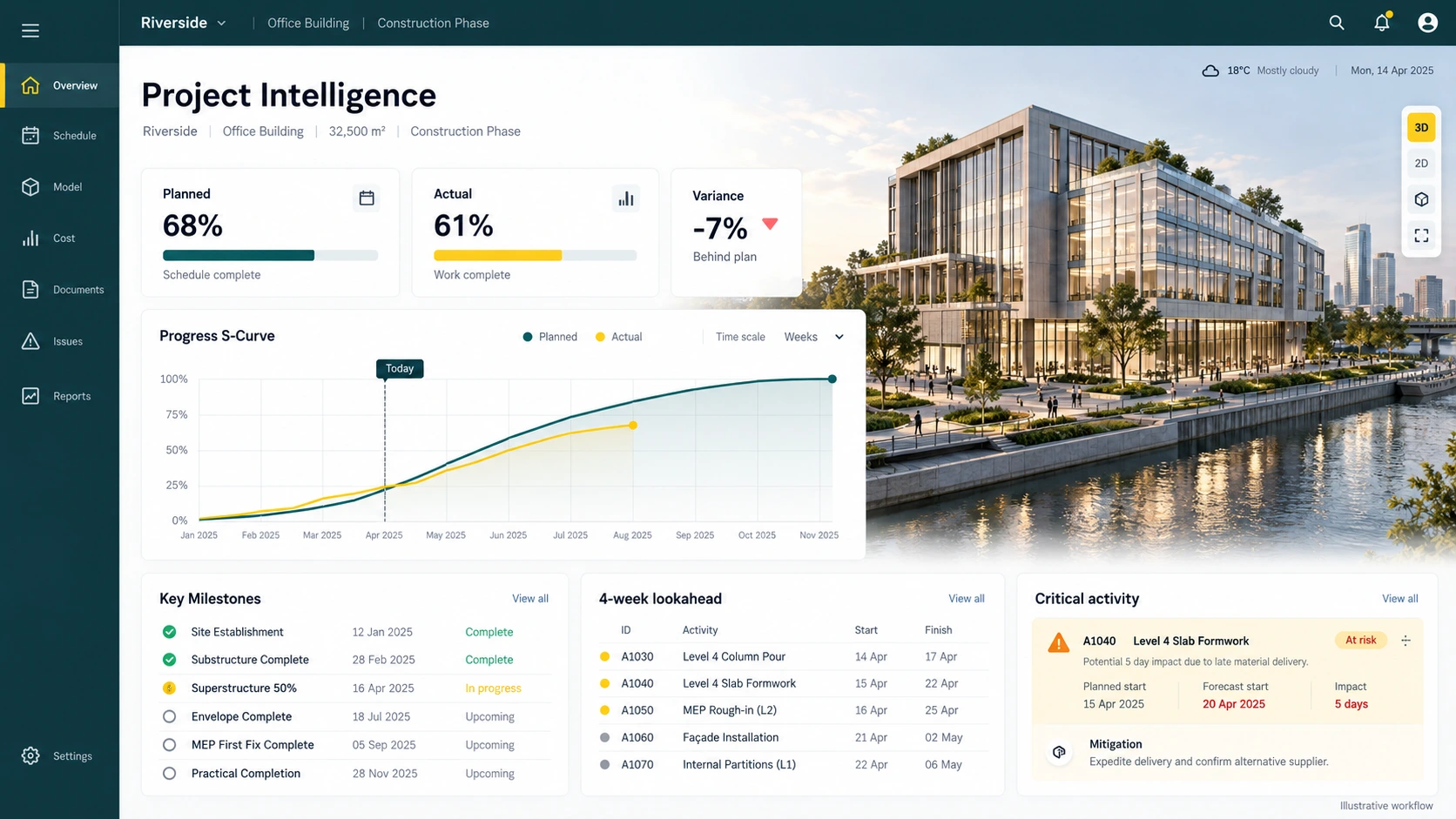
From source information to a useful action.
- 01
Import
Use the P6 XML update and its data date.
- 02
Prioritise
Review variance, milestones and critical work.
- 03
Investigate
Discuss the activities behind the headline.
A milestone is approaching, but reported progress is behind plan.
Begin with the variance, then inspect the critical activities and four-week look-ahead. The team can discuss specific dependencies and readiness rather than debating one headline percentage.
Capabilities and delivery scope.
Planning views use imported P6 XML. Engineering approval dashboards and their data connections should be scoped separately for your deployment.
- Planned versus actual progress
Read weighted planned and actual progress together, with variance in percentage points.
- S-curve and activity status
Understand how the reported position develops across programme updates.
- Critical activities and negative float
Identify the work whose dependencies and float require closer investigation.
- Four-week look-ahead
Bring upcoming activities into the coordination meeting and discuss readiness.
- Milestone status
Review delivery commitments against the current schedule position.
- Programme data date
Keep the programme reporting date visible when interpreting every metric.
A clearer starting point.
Does this replace the programme?
The imported P6 programme remains the planning reference. BIMerge helps teams interpret its information and focus their project reviews.
What should we bring to a demo?
Describe your programme structure, reporting cycle and the questions your team needs to answer. Confidential files are not required for the first conversation.
Bring one project question. Leave with a clearer scope.
Walk through the relevant workflow, source information and rollout requirements with the BIMerge team.