Understand the design. Inspect the difference.
Review architecture, structure, MEP and interiors in context. Inspect differences and report issues.
The information.
The context. The next step.
A photograph shows visible conditions; a model explains the intended design. Reviewing them together helps engineers understand where a difference occurs and which discipline it affects.
 BIM & Model IntelligenceIllustrative workflow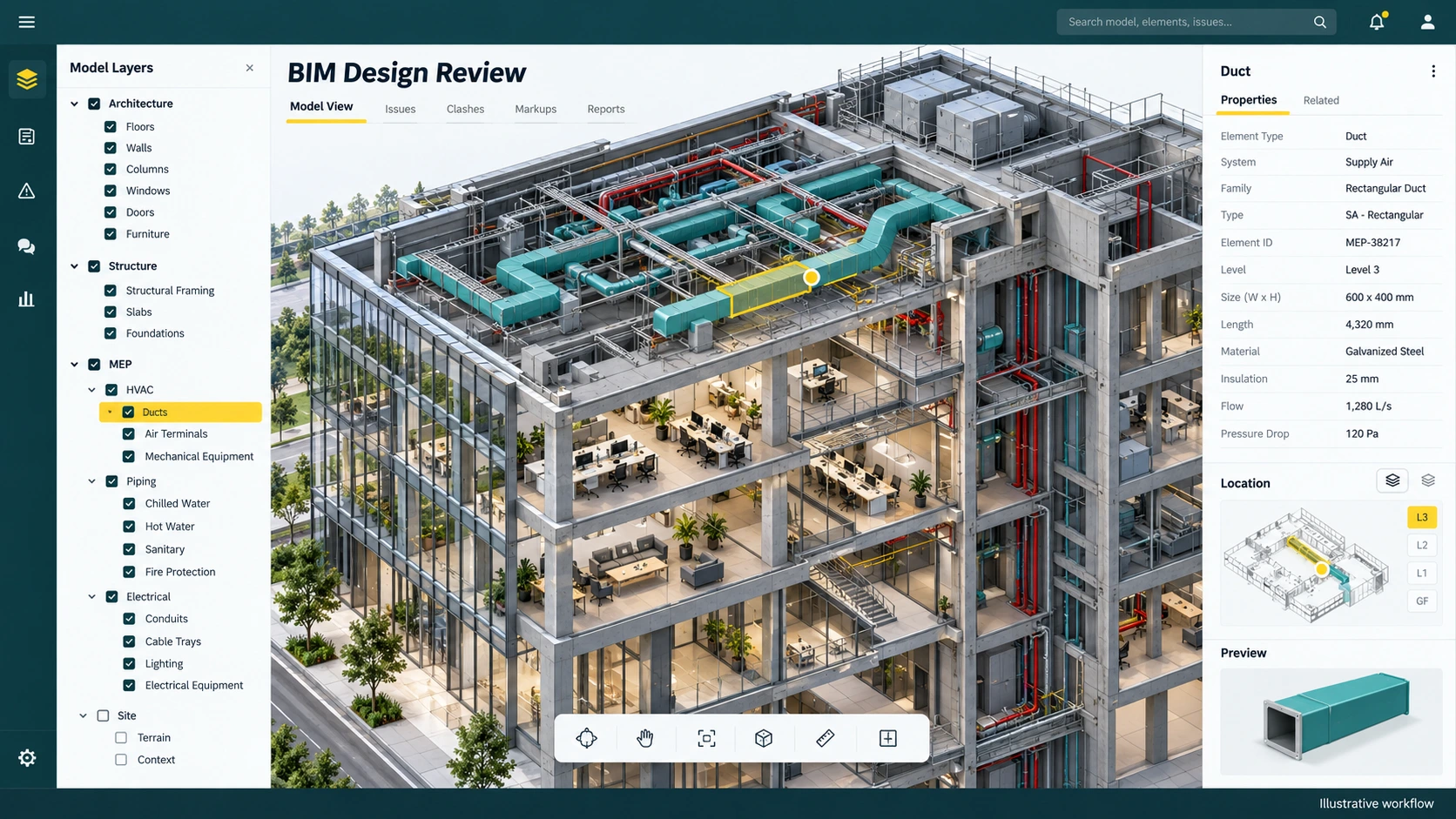
From source information to a useful action.
- 01
Select
Choose the room and relevant model disciplines.
- 02
Inspect
Compare BIM with the visible site condition.
- 03
Resolve
Verify a discrepancy and raise an issue.
A duct appears to follow a different route on site.
Isolate MEP, compare the captured installation against the model and inspect the neighbouring structure. Record the location and reason for concern so the responsible engineer can investigate.
Capabilities and delivery scope.
Model access and compatibility depend on your project’s model sources and agreed integration scope.
- 3D model exploration
Understand spatial relationships before discussing an individual installation.
- Discipline and element context
Show or hide architecture, structure, MEP and interiors to reveal the relevant work.
- BIM-to-site comparison
Bring captured conditions beside the intended arrangement of the model.
- Manual comparison
Inspect visible differences with engineering judgement and appropriate source context.
- Automatic clash and difference detection
Confirm supported detection inputs and validation rules during your demonstration.
- Engineer issue reporting
Describe an observation with its location and design reference for follow-up.
A clearer starting point.
Is every difference a defect?
No. Revisions, temporary work, occlusion and alignment can create apparent differences. An engineer must confirm the interpretation.
Can all project models be used?
Compatibility depends on the model source, supported formats and integration scope agreed for your project.
Bring one project question. Leave with a clearer scope.
Walk through the relevant workflow, source information and rollout requirements with the BIMerge team.